天气预报每天都在看,但大多数画面无非是城市名、天气图标和温度数字,看久了难免有点普通。
这次我换了个思路,把「城市地标+当天气象」组合成一套微缩 3D 天气海报。北京、广州、深圳、成都、重庆和杭州,每座城市都保留了最有辨识度的建筑与景观,再让雨水、云雾、阳光和城市环境真正发生互动。
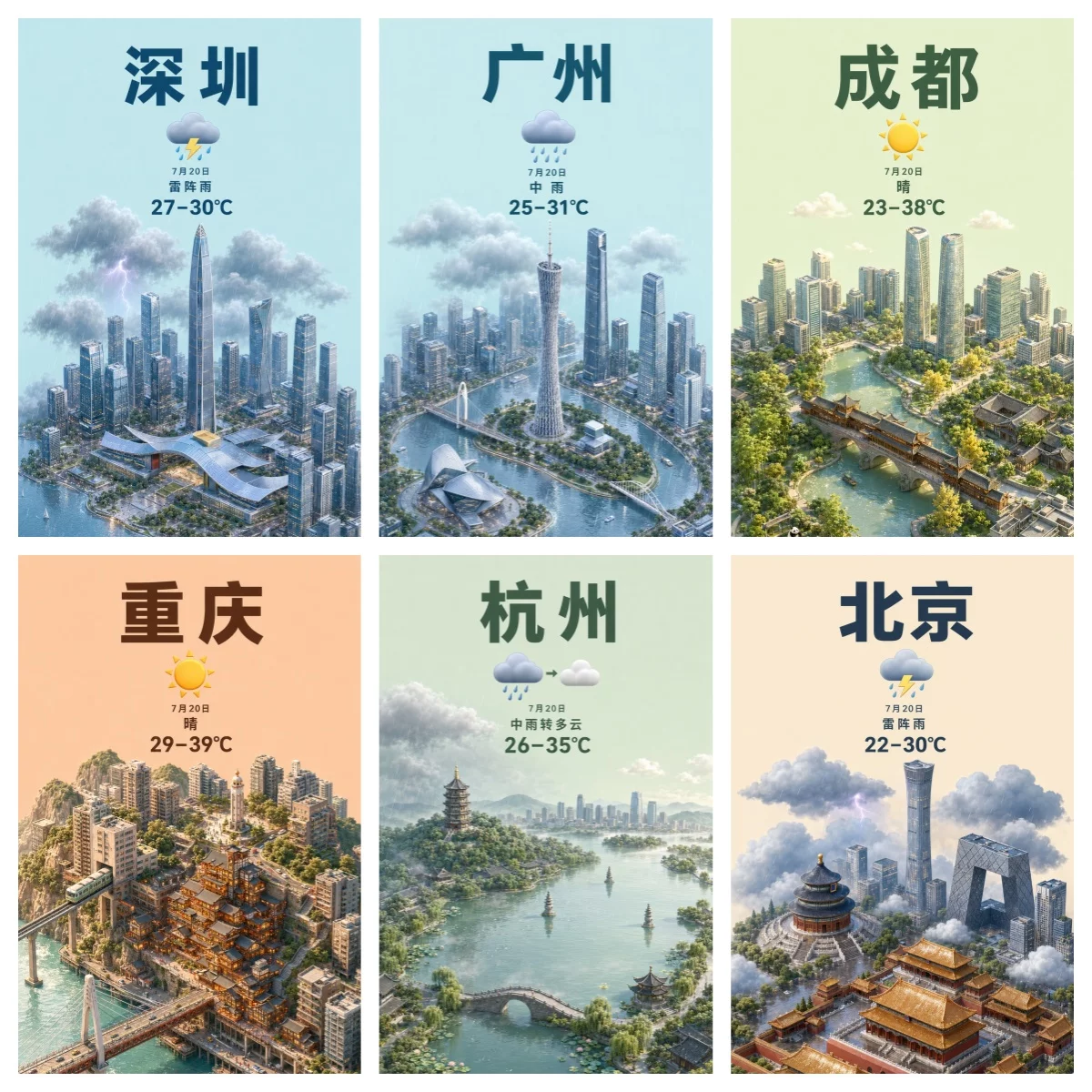
详细提示词如下:
==================== 可修改参数区 ====================
CITY_NAME_NATIVE = "上海"
CITY_NAME_ENGLISH = "Shanghai"
MAIN_LANDMARK = "东方明珠广播电视塔"
SUPPORTING_LANDMARKS = "上海中心大厦、金茂大厦、上海环球金融中心、外滩万国建筑群"
CITY_GEOGRAPHY = "黄浦江以柔和的S形穿过城市,连接浦东现代天际线与外滩历史建筑群"
WEATHER_CONDITION = "多云"
WEATHER_ICON = "简洁、立体的多云天气图标"
WEATHER_INTEGRATION = "浅灰蓝云层围绕高楼分布,柔和阳光从云隙落下,玻璃幕墙和黄浦江出现细腻反光,远处带轻微湿润薄雾"
DATE_TEXT = "7月20日"
TEMPERATURE_TEXT = "28–35°C"
BACKGROUND_AND_PALETTE = "淡雾蓝灰色纯色背景,搭配银灰、浅蓝、暖米色和少量柔和绿色"
==================== 固定提示词区 ====================
Create a polished vertical 9:16 isometric miniature 3D cartoon weather poster for the city specified in the editable parameter section above.
Use a precise orthographic camera with a clear 45-degree top-down view. Do not use fisheye perspective. The miniature city should occupy the lower 70% of the canvas, leaving a clean, spacious upper 30% for weather information. Use a centered, unified composition with no frame, no horizon and no visible platform border.
Build a compact, recognizable city scene. Use MAIN_LANDMARK as the central visual anchor. Arrange SUPPORTING_LANDMARKS around it as secondary elements. Integrate CITY_GEOGRAPHY into the composition so the city’s terrain, river, coastline, bridges, streets or vertical structure feel authentic and easy to recognize.
Keep every landmark delicately modeled, architecturally recognizable and visually balanced. Do not include building names, commercial logos or signs.
Represent WEATHER_CONDITION throughout the entire scene. Use WEATHER_INTEGRATION to make the weather interact naturally with buildings, roads, vegetation and water. The weather must affect the environment instead of appearing only as a decorative icon.
Keep the atmosphere immersive, fresh, soothing and clearly readable. Do not let clouds, fog, rain, sunlight or other effects obscure the main landmarks.
Use refined miniature cartoon proportions, premium high-detail 3D modeling and realistic PBR materials. Include soft ambient occlusion, delicate reflections, clean edges and gentle lifelike lighting and shadows.
Use BACKGROUND_AND_PALETTE as the main color direction. Keep the overall visual style clean, modern, fresh, slightly playful and consistent with a premium editorial weather-card series.
At the top center, display only the following information in this exact order:
1. CITY_NAME_NATIVE — very large, bold and highly legible Chinese sans-serif text
2. WEATHER_ICON — a prominent three-dimensional weather icon directly below the city name
3. DATE_TEXT — x-small but clearly legible
4. WEATHER_CONDITION — small and clearly legible
5. TEMPERATURE_TEXT — medium, bold and clearly legible
Use a clean Chinese sans-serif style similar to Source Han Sans. Correct Chinese characters and numbers are a top priority.
Use the exact parameter values as the visible text. Do not display variable names, parameter labels, quotation marks or instructions in the final image. Do not translate, paraphrase, duplicate or add any text.
The weather information must have no panel or background and may subtly overlap the highest buildings while remaining unobstructed.
No English text, no extra labels, no random letters, no misspelled Chinese, no duplicate typography, no watermark, no logo, no QR code, no border, no photorealistic city photography, no fisheye distortion, no clutter, no excessive buildings and no weather effects obscuring the landmarks.